Online Typing Test Game: Test Your Speed
Online Typing Test Game: Test and Improve Your Typing Speed
An online typing test game is a simple way to check how fast and accurately you can type while making practice more enjoyable. Instead of repeatedly typing random exercises, these tools often turn practice into a challenge with timers, scores, accuracy percentages, progress tracking, or game-like tasks. If you want to improve your typing, start with a short test to find your current speed. Then practise regularly, focus on accuracy first, and gradually increase your speed.
What Is an Online Typing Test Game?
An online typing test game combines a typing speed test with game-like elements. A typical session may show you a passage, a series of words, or a typing challenge. You type the content as quickly and accurately as possible while the website measures your performance.
Common results include:
- Words per minute (WPM)
- Typing accuracy
- Number of mistakes
- Correct words or characters
- Test duration
- Personal best scores
- Progress over multiple attempts
Some platforms are designed mainly for testing, while others add races, challenges, levels, leaderboards, or other interactive features.
Why Use a Typing Test Game?
Traditional typing practice can become repetitive. A game-style approach can make it easier to stay interested.
Measure Your Current Typing Speed
A timed test gives you a starting point.
For example, you might discover that you type at 35 WPM with 94% accuracy. After practising for several weeks, you can take the same type of test again and compare your results.
Improve Accuracy
Typing quickly is not very useful if every few words contain an error. Games and tests can show where mistakes occur, helping you focus on accuracy instead of simply trying to type faster.
Build Keyboard Familiarity
Regular practice helps you become more comfortable finding letters, numbers, punctuation marks and common keyboard combinations without constantly looking down.
Make Practice More Enjoyable
A score, timer or challenge can give typing practice a clear goal. This can be particularly useful for students, beginners and anyone who finds traditional typing exercises boring.
How Does an Online Typing Test Work?
Most typing tests follow a simple process.
Choose a Test
Select a typing test or game that matches your goal. If you are a beginner, a short and simple test may be easier to start with.
Read the Instructions
Check the test duration and understand how mistakes are counted. Some tests use a fixed passage, while others generate different words or sentences.
Start Typing
Type the displayed content as accurately as you can. Try not to look at the keyboard constantly.
Finish the Test
When the timer ends or you complete the assigned text, the platform will usually show your results.
Review Your Score
Look at both speed and accuracy. If your speed increases but your accuracy drops significantly, slow down and work on precision.
What Does WPM Mean in a Typing Test?
WPM means words per minute.
It is commonly used to describe typing speed. A typing test generally estimates how many standardised words you could type in one minute based on the amount of text entered during the test.
For example:
| Result | What it tells you |
|---|---|
| 30 WPM | Your approximate typing speed |
| 45 WPM | You are typing faster than in the previous example |
| 60 WPM | A higher typing speed |
| 80 WPM | A substantially faster result |
These numbers should be treated as measurements from a particular test rather than permanent labels. Your result can change depending on the text, keyboard, test duration, familiarity with the words and your accuracy.
Why Is Typing Accuracy Important?
Accuracy is just as important as speed.
Imagine two people complete a test:
| Typist | Speed | Accuracy |
|---|---|---|
| A | 65 WPM | 85% |
| B | 55 WPM | 98% |
The first person typed faster, but the second made fewer mistakes. For everyday work, accurate typing can save time because you spend less time correcting errors.
A good practice strategy is therefore:
Accuracy first → consistency second → speed third.
Online Typing Test Game vs Traditional Typing Test
Although the terms are sometimes used interchangeably, there is a practical difference.
| Typing test | Typing test game |
|---|---|
| Mainly measures performance | Measures performance while adding game elements |
| Usually focused on WPM and accuracy | May include challenges, races or scores |
| Simple interface | Often more interactive |
| Useful for benchmarking | Useful for repeated practice |
| Can be quick and focused | May make practice more engaging |
You can use both. A traditional test can help you measure progress, while a game can make regular practice less repetitive.
How to Improve Your Typing Speed
Taking tests repeatedly is not enough by itself. Your practice technique matters.
Learn Proper Finger Placement
If you are constantly searching for individual keys, your typing speed will usually be limited. Learning touch typing can help you develop more consistent finger movements.
The traditional home-row positions are:
- Left hand: A, S, D, F
- Right hand: J, K, L, ;
- Thumbs: Space bar
The exact layout can vary between keyboards and languages, but the principle is the same: develop a consistent starting position.
Focus on Accuracy First
Do not immediately try to beat your highest WPM score. Instead, practise typing correctly. Once your fingers become more comfortable with the keyboard, speed can improve naturally.
Practise Common Words
Everyday writing contains many repeated words and letter combinations. Typing common words repeatedly can help your fingers become familiar with frequently used patterns.
Practise Punctuation
Typing only simple words does not prepare you for normal writing.
Include exercises containing:
- Commas
- Full stops
- Apostrophes
- Question marks
- Capital letters
- Numbers
- Other commonly used symbols
Keep Your Hands Relaxed
Avoid pressing keys harder than necessary. Keep your wrists and fingers relaxed and use light, controlled movements. If typing causes pain or discomfort, stop and reassess your setup rather than trying to push through it.
Practise Regularly
Short, consistent sessions can be easier to maintain than occasional long sessions. For example, you might spend 10–15 minutes practising several times a week. The exact schedule is less important than finding a routine you can maintain comfortably.
How to Use Typing Games for Practice
A simple practice routine can look like this:
Warm-up: 2–3 minutes of easy typing
Accuracy practice: 5 minutes focusing on correct keystrokes
Typing game: 5 minutes of timed or competitive practice
Review: Check your WPM and accuracy
Repeat: Work on the mistakes you noticed
This gives you both measurement and practice instead of simply chasing a higher score.
Who Can Benefit From Online Typing Games?
Typing games can be useful for many people.
Students
Students often type assignments, research notes and online coursework. Regular keyboard practice can help them become more comfortable with computer-based work.
Office Workers
People who frequently write emails, reports, documents or messages may benefit from more efficient keyboard skills.
Writers and Bloggers
Writers can use typing tests as a way to practise speed while maintaining accuracy.
Beginners
If you are learning to use a computer, simple typing games can provide an easy way to become familiar with the keyboard.
Gamers
People who enjoy competitive games may find score-based typing challenges more motivating than traditional exercises.
What Makes a Good Online Typing Test Game?
Before choosing a typing website, look for useful features rather than choosing one simply because it looks attractive.
A good typing practice tool may offer:
- Clear instructions
- Different test durations
- Accuracy measurements
- WPM results
- Beginner-friendly exercises
- Different difficulty levels
- Progress tracking
- Error feedback
- Practice modes
- Mobile or desktop compatibility
You should also pay attention to privacy. Avoid entering unnecessary personal information into a typing website just to take a basic test.
Common Typing Practice Mistakes
Chasing Speed Too Early
Trying to type as fast as possible can encourage mistakes.
Build accuracy first.
Looking at the Keyboard Constantly
It is natural for beginners, but gradually reducing your dependence on visual key searching can help develop touch-typing skills.
Practising Only Easy Words
Simple exercises are useful at first, but real-world typing includes punctuation, numbers and unfamiliar words.
Taking Tests Without Reviewing Results
A score tells you how you performed, but it does not necessarily tell you what to improve.
Look for recurring mistakes.
Practising for Too Long
Long sessions can lead to tiredness and poor technique.
Shorter, focused sessions can be easier to manage.
Tips for Getting a More Useful Typing Test Result
For a more consistent measurement:
- Use the same keyboard when comparing results.
- Take tests under similar conditions.
- Use similar test lengths.
- Focus on accuracy as well as speed.
- Take several tests instead of relying on one result.
- Compare your results over time.
- Avoid rushing simply to produce a higher number.
Your typing speed can vary from one session to another, so look at the overall trend rather than one unusually high or low score.
Online Typing Test Game FAQs
What is an online typing test game?
It is a web-based typing activity that measures skills such as typing speed and accuracy while adding interactive or game-like elements to make practice more engaging.
Is WPM the same as typing speed?
WPM, or words per minute, is one common way of measuring typing speed. The exact result depends on the test method and the text you type.
How can I increase my typing speed?
Practise regularly, learn proper finger placement, focus on accuracy and gradually increase your speed. Avoid sacrificing accuracy simply to achieve a higher WPM score.
Is typing accuracy more important than speed?
Both matter, but accuracy is especially important for everyday work. Fast typing that produces many errors can create additional editing and correction work.
Can children use typing games?
Yes. Typing games can be a fun way for children to become familiar with keyboards. Choose age-appropriate activities and encourage correct technique rather than focusing only on speed.
Can I use a typing test on a phone?
Some typing tests work on mobile devices, but physical keyboards are generally more relevant when your goal is to improve computer keyboard typing.
Conclusion
An online typing test game can be more than a quick way to get a WPM score. Used regularly, it can become a practical tool for improving keyboard familiarity, accuracy and typing confidence.
Start by measuring your current performance, practise with good technique, and track your results over time. Most importantly, do not let a single high score become the goal. Consistent, accurate typing is much more useful in everyday computer work.
Category: Productivity
SEO Title: Online Typing Test Game: Test Your Speed
Meta Description: Try an online typing test game to measure WPM, improve accuracy, practise keyboard skills and make typing practice more engaging.
URL Slug: online-typing-test-game
Tags: online typing test, typing test game, typing speed, WPM test, typing practice, keyboard skills, productivity, typing games
Featured Image Prompt:
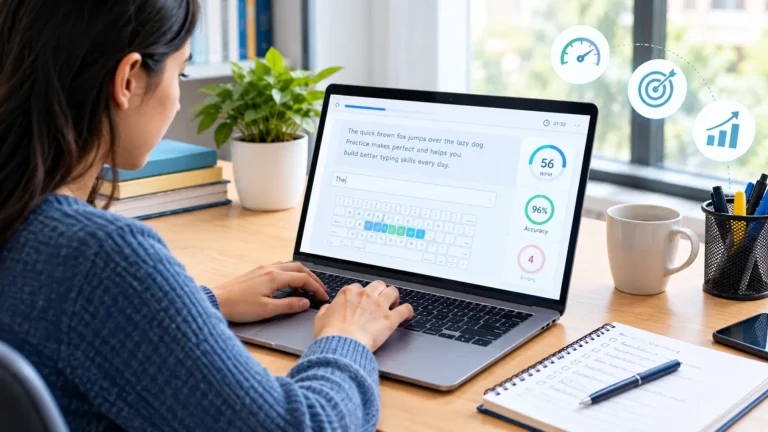
Professional realistic 16:9 editorial technology image showing a modern laptop on a clean desk with a generic typing test interface featuring an abstract typing progress indicator, speed gauge, accuracy chart and virtual keyboard, hands actively typing on the physical keyboard, subtle gaming-inspired visual elements such as progress bars and achievement shapes in the background, contemporary home office setting, realistic natural lighting, premium technology publication aesthetic, blue and neutral tones, no readable text, no logos, no brand names, no copyrighted interfaces, no watermark.