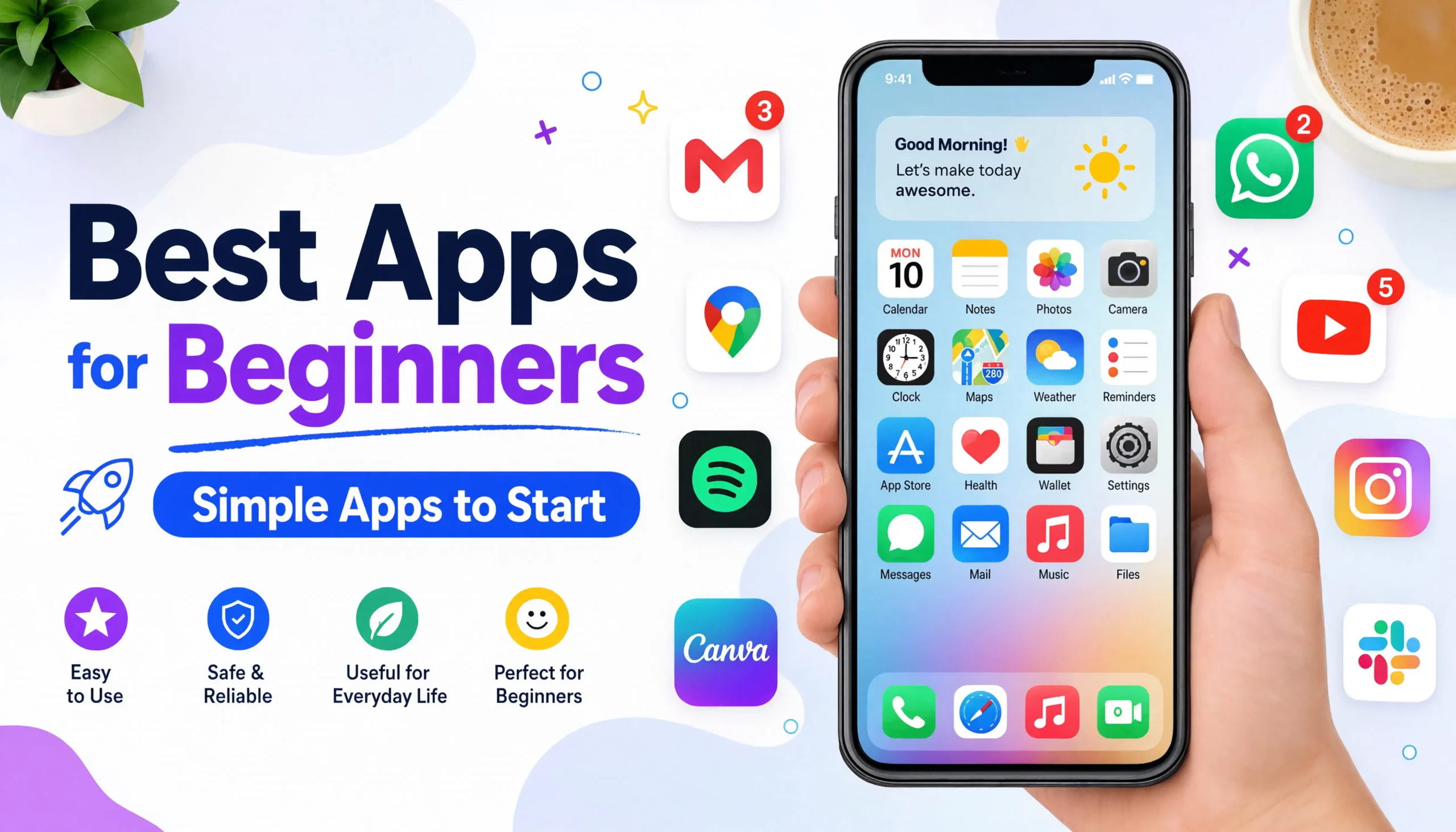
Best Apps for Beginners: Simple Apps to Start
Best Apps for Beginners: Simple Apps to Get Started
If you are new to smartphones, computers, or digital tools, choosing your first apps can feel confusing. There are thousands of options, and many apps advertise advanced features that beginners may never need. The best apps for beginners are usually simple, useful, and easy to learn. You do not need dozens of downloads. A small collection of reliable apps can cover everyday needs such as communication, notes, learning, navigation, productivity, file storage, security, and entertainment. This guide explains useful beginner-friendly apps and what each one is good for.
What Makes an App Good for Beginners?
A beginner-friendly app should make your life easier rather than give you another complicated system to manage.
Look for apps that have:
- A clean and understandable interface
- Clear menus and controls
- Useful free features
- Good security practices
- Regular updates
- Support for your device
- Easy account recovery
- Helpful tutorials or documentation
- Reliable syncing when you use multiple devices
It is also important to consider privacy. An app may be popular, but that does not automatically mean it is the right choice for every user.
Best Apps for Beginners at a Glance
| App | Best for | Why beginners may like it |
|---|---|---|
| Google Maps | Navigation | Simple directions and location search |
| Google Keep | Notes and lists | Quick and easy note-taking |
| Google Calendar | Scheduling | Simple calendars and reminders |
| Google Drive | Cloud storage | Easy file access and sharing |
| Messaging | Familiar chat and calling features | |
| Canva | Simple design | Templates make design easier |
| Duolingo | Language learning | Short, interactive lessons |
| ChatGPT | AI assistance | Useful for questions and everyday tasks |
| Bitwarden | Password management | Helps organize passwords securely |
| VLC | Media playback | Supports many common media formats |
The right choices depend on your device, needs, location, and preferences. You do not need to install all of them.
Google Maps — Best for Navigation
Getting lost is one of the easiest problems for a smartphone to solve. Google Maps can help beginners search for places, get directions, explore nearby businesses, and plan journeys.
You can use it for:
- Driving directions
- Walking directions
- Public transport information where supported
- Finding restaurants and shops
- Searching for addresses
- Checking places before visiting
Beginner tip
Start by searching for a familiar location. Then try getting directions from your current location. This lets you learn the basic controls without using the app during an important journey.
Google Keep — Best for Simple Notes
Google Keep is useful when you want somewhere to quickly save information.
You can use it for:
- Shopping lists
- Short notes
- Ideas
- Reminders
- Checklists
- Phone numbers or other non-sensitive information
Its simple approach makes it easier for beginners than a complicated productivity system. For example, instead of trying to remember everything you need from a shop, create a checklist and tick items off as you go.
Google Calendar — Best for Managing Dates
Many beginners start using digital calendars only after they begin missing appointments or important deadlines.
A calendar app can help you remember:
- Appointments
- Classes
- Meetings
- Birthdays
- Bills
- Important deadlines
- Regular activities
A simple way to start
Do not create a complicated calendar system. Begin by adding the three or four events you are most likely to forget. Once you become comfortable, you can add recurring events and reminders.
Google Drive — Best for Storing Files
Cloud storage can be particularly useful for beginners because it reduces dependence on a single device. With a cloud-storage service such as Google Drive, you can store and access supported files from different devices.
Useful files might include:
- Documents
- PDFs
- Photos
- School materials
- Work files
- Spreadsheets
Remember that cloud storage and backup are not always the same thing. Important files may need a proper backup strategy as well.
WhatsApp — Best for Everyday Communication
For users who mainly want to communicate with friends, family, colleagues, or groups, a familiar messaging app can be one of the first useful downloads. WhatsApp can be used for messaging, group conversations, voice calls, video calls, and sharing supported media.
Beginner tip
Learn these basic actions first:
- Start a new chat.
- Send a message.
- Make a voice call.
- Make a video call.
- Send a photo.
- Manage notifications.
You can learn advanced settings later.
Canva — Best for Simple Design
You do not need to become a professional designer to create useful graphics. Canva is designed around templates and visual editing, making it useful for beginners who want to create things such as:
- Social media graphics
- Presentations
- Posters
- Invitations
- Simple business graphics
- Thumbnails
The important beginner lesson is not to start by designing everything from scratch. Choose a suitable template, replace the content, and gradually learn the editing tools.
Duolingo — Best for Learning a Language
Learning apps can make it easier to build a small daily habit. Duolingo uses short lessons and interactive exercises for language learning. Current beginner-app roundups also identify it as a straightforward starting point for people learning a new language.
A simple routine might be:
- Complete one short lesson each day.
- Review mistakes.
- Repeat difficult exercises.
- Increase your study time gradually.
The goal is consistency rather than trying to complete a huge amount of material in one session.
ChatGPT — Best for AI Assistance
AI assistants can be useful for beginners because you can ask questions using ordinary language.
You might use an AI assistant to:
- Explain an unfamiliar topic
- Brainstorm ideas
- Rewrite text
- Summarize information
- Create a study plan
- Help understand computer settings
- Generate examples
- Assist with coding
However, beginners should remember that AI-generated information can contain mistakes. For important topics such as medical, financial, legal, or technical decisions, verify important information using reliable sources.
Bitwarden — Best for Password Management
Password management is one area where beginners should build good habits early. A password manager can help you avoid using the same password across many accounts. Instead of trying to remember dozens of passwords, you can use a password manager to store credentials and generate stronger, unique passwords. Current app guides commonly recommend reputable password managers as part of a basic digital setup.
Important security tip
Your password manager account is extremely important.
Use a strong master password and carefully configure the available recovery and security options.
Never share your master password with another person.
VLC — Best for Playing Media
VLC is useful for beginners who regularly work with video or audio files. It supports many common media formats and can be useful when a file does not play correctly in the default media player. For beginners, the main advantage is simple: install it when you need a dependable media player rather than downloading several different players for different file types.
Best Apps for Beginners by Need
Instead of asking which single app is the best, think about what you want to accomplish.
| Your need | Start with |
|---|---|
| Find a location | Google Maps |
| Write quick notes | Google Keep |
| Remember appointments | Google Calendar |
| Store files | Google Drive |
| Chat with people | |
| Create graphics | Canva |
| Learn languages | Duolingo |
| Ask AI questions | ChatGPT |
| Manage passwords | Bitwarden |
| Play media files | VLC |
This approach is easier because every app has a clear purpose.
Best Apps for Students Who Are Beginners
Students do not need a complicated collection of software to get started.
A simple setup could include:
Notes
Use a straightforward notes app for quick ideas, class reminders, and study lists.
Calendar
Add assignment deadlines, exams, classes, and important events.
Cloud storage
Keep important documents and school files organized in folders.
AI assistant
Use AI to explain difficult concepts or generate practice questions, but do not rely on it blindly for academic answers.
Learning apps
Use dedicated learning platforms when you need structured lessons rather than just general information.
The goal is to support learning, not replace it.
Best Apps for Older or Less-Experienced Users
Someone who is new to modern technology may benefit from apps with simple interfaces and obvious controls.
A useful starting setup could include:
- A messaging app for family communication
- A maps app for directions
- A notes app for reminders
- A calendar for appointments
- A photo app for viewing and organizing pictures
- A trusted security or password-management solution
It is better to teach five useful apps well than to install 30 apps that the user does not understand.
How to Choose the Right App
Before installing an app, ask five simple questions.
What problem does it solve?
If you cannot explain why you need an app, you probably do not need it yet.
Is it easy to use?
Look at screenshots, menus, and basic instructions before committing to a complicated tool.
Does it support your device?
Check whether the app works on Android, iPhone, Windows, Mac, or your particular platform.
What permissions does it request?
Be careful when an app asks for access that does not seem necessary for its purpose.
For example, a basic calculator does not normally need access to your contacts.
Does it have a trustworthy source?
Download apps from official app stores or the developer’s official website whenever possible.
How Many Apps Should a Beginner Install?
There is no magic number.
In fact, installing too many apps can make a device harder to use.
A beginner might start with:
- One communication app
- One notes app
- One calendar
- One navigation app
- One cloud-storage solution
- One security or password solution
Then add another app only when you have a clear reason.
This reduces clutter and gives you time to learn each tool properly.
Common Mistakes Beginners Should Avoid
Installing too many apps
More apps do not automatically mean more productivity.
Downloading from random websites
Unofficial app downloads can increase security risks.
Ignoring updates
Updates can include security fixes, bug fixes, and compatibility improvements.
Giving every app every permission
Review permissions and only provide access that makes sense.
Using the same password everywhere
If one account is compromised, reused passwords can put other accounts at risk.
Paying before testing
If an app has a free version or trial, understand whether it actually solves your problem before paying for additional features.
How to Build a Simple Beginner App Setup
You can build your app collection gradually.
Identify your biggest problem
Maybe you forget appointments, lose files, struggle with navigation, or want to learn something new.
Install one suitable app
Do not install five alternatives immediately.
Learn the basics
Spend a few minutes learning the main controls.
Use it regularly
An app becomes useful when it becomes part of your normal routine.
Review after a few weeks
If the app genuinely helps, keep using it.
If it creates more work than it removes, look for another solution.
Frequently Asked Questions
What are the best apps for beginners?
Useful beginner choices include Google Maps for navigation, Google Keep for notes, Google Calendar for scheduling, Google Drive for files, Canva for simple design, and a reputable password manager for account security.
What apps should a beginner install first?
Start with apps that solve immediate needs: communication, navigation, notes, calendars, file storage, and security. You can add specialist apps later.
Are beginner-friendly apps free?
Many popular apps offer free versions, but features, limits, subscriptions, and availability can change. Always check the current terms before paying.
What is the best app for learning?
It depends on what you want to learn. For language learning, Duolingo is one beginner-friendly option. For academic subjects, dedicated educational platforms may be more appropriate.
Should beginners use AI apps?
AI apps can be useful for explanations, brainstorming, writing assistance, and learning. Beginners should still check important information rather than assuming every AI response is correct.
Is it safe to download apps from third-party websites?
Official app stores and the developer’s official website are generally the safer starting points. Avoid modified, cracked, or suspicious versions of apps.
Conclusion
The best apps for beginners are not necessarily the apps with the most features. They are the apps that solve everyday problems without making things unnecessarily complicated. Start small. Choose one app for each real need, learn the basics, and add new tools only when they provide a clear benefit. A simple, well-organized phone or computer is usually more useful than a device filled with apps you rarely understand or use.