Best Noise Meter Apps for Android and iPhone
Best Noise Meter Apps: Measure Sound Levels on Your Phone
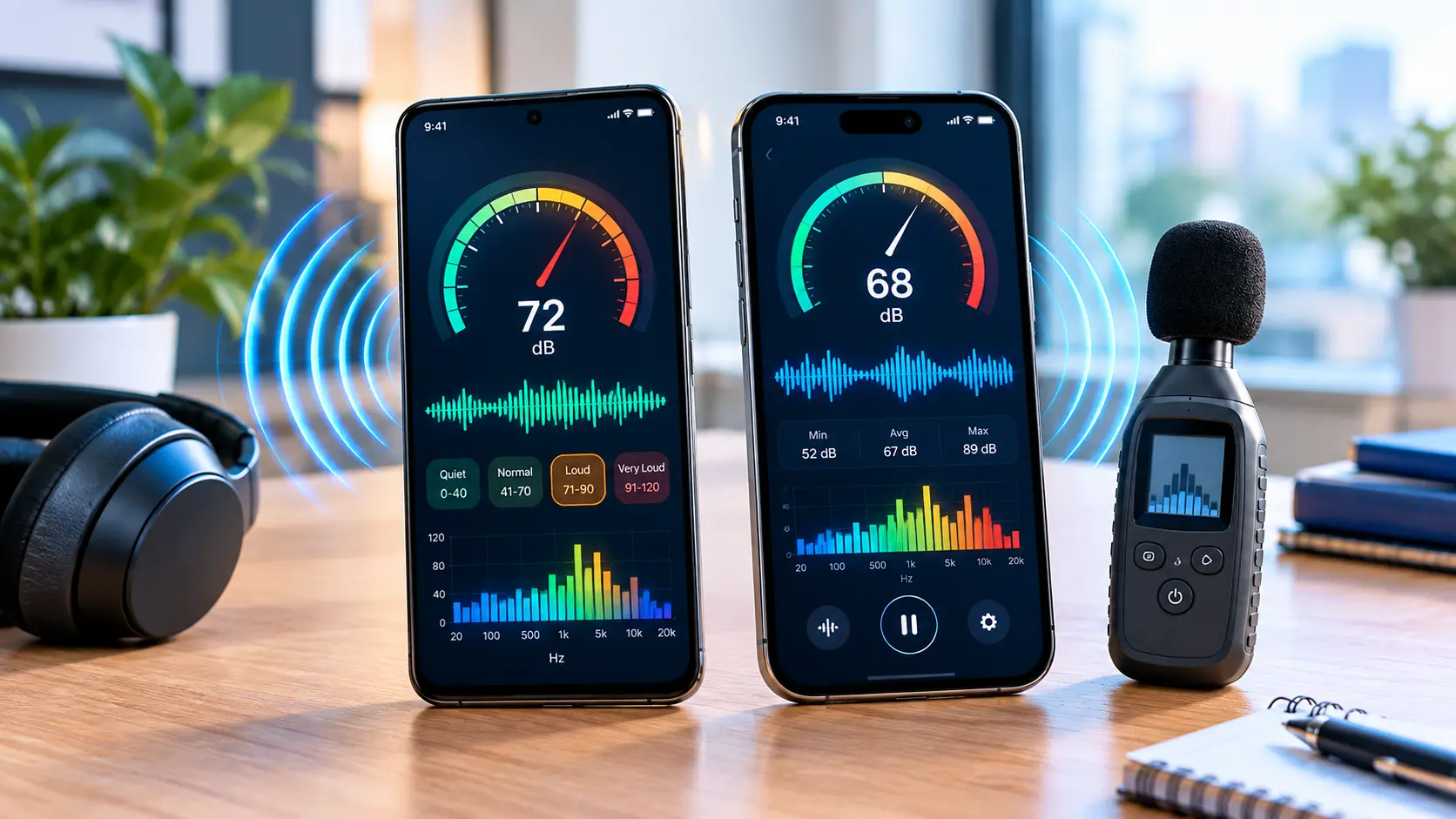
If you want to check how loud a room, workplace, neighbourhood, concert or machine is, noise meter apps can turn your smartphone into a basic sound-level monitor. Among the options available today, NIOSH Sound Level Meter is particularly notable for iPhone users because it has been tested and validated by NIOSH. Decibel X offers a broader set of measurement and recording features on iPhone and Android, while simpler Android apps such as Sound Meter can be useful for quick, informal checks. However, there is an important limitation: a phone app is not automatically equivalent to a professional sound level meter. Smartphone microphones and audio hardware vary, and some apps themselves warn that very loud sounds may exceed the useful range of the phone’s microphone.
What Is a Noise Meter App?
A noise meter app uses your phone’s microphone to estimate the sound pressure level around you, usually displaying the result in decibels (dB) or A-weighted decibels (dBA).
You can use one to answer questions such as:
- How noisy is my office?
- Is my room relatively quiet at night?
- How loud is traffic outside?
- How loud is a machine?
- Is a classroom particularly noisy?
- How much does the sound level change during the day?
- How loud is a concert or event?
Most apps are designed for monitoring and general information rather than replacing professional acoustic equipment.
Best Noise Meter Apps at a Glance
| App | Platform | Best for | Notable features |
|---|---|---|---|
| NIOSH Sound Level Meter | iPhone/iOS | Workplace noise checks and serious measurements | A, C and Z weighting, LAeq, TWA, peak, dose, calibration |
| Decibel X | Android, iPhone/iPad | Detailed sound monitoring | Weighting filters, graphs, history, FFT, calibration |
| Sound Meter | Android | Simple everyday measurements | Current/min/max/average readings, graphs, calibration |
| Sound Decibel Meter | Android | Simple noise checks | dB readings and graphs |
| Decibel | iPhone/iPad/Apple Watch | Detailed audio analysis | Spectrum analyser, FFT, spectrogram, noise dosimeter |
Features and availability can change with app versions and operating systems, so check the current store listing before installing.
NIOSH Sound Level Meter
Best for: iPhone users who want a research-backed noise measurement tool
The NIOSH Sound Level Meter (SLM) app is developed with the National Institute for Occupational Safety and Health and is available free for iOS. NIOSH says the app was developed with acoustics engineers and hearing-loss experts and has been tested and validated. Its published technical specifications report accuracy within ±2 dBA under its laboratory testing conditions. It also supports A, C and Z weighting, LAeq, TWA, maximum and peak levels, noise dose and projected dose. The app can also be calibrated with an internal or external microphone. One important limitation is platform support: NIOSH specifically says the Sound Level Meter app is available on iOS, not Android. NIOSH explains that Android’s wide range of hardware makes the same level of accuracy verification difficult.
Why it stands out
- Free
- Developed with NIOSH expertise
- Tested in laboratory conditions
- A, C and Z weighting
- Noise exposure metrics
- Calibration support
- Reporting and sharing features
For workplace noise assessment, this is one of the more interesting smartphone-based options, but NIOSH still cautions that the app does not replace a professional sound level meter or noise dosimeter for compliance purposes.
Decibel X
Best for: Android and iPhone users who want more features
Decibel X is available on both Android and Apple devices. Its current Google Play listing includes frequency-weighting options, FFT and bar graphs, history recording, CSV/PNG export, calibration controls and noise-dosimeter functions. The listed measurement range is approximately 20–130 dBA, although the useful range depends on the device and conditions. The iOS version also supports features such as Apple Watch integration, Health integration, historical records, frequency analysis and calibration profiles.
Useful features
- Real-time sound measurements
- A, B, C and Z weighting options
- Frequency analysis
- History graphs
- CSV export
- Calibration
- Average and maximum readings
- Spectrogram
- Noise-dose functions
Decibel X also recommends custom calibration when greater precision is required, using a real calibrated sound meter as the reference.
Sound Meter
Best for: straightforward Android measurements
The Google Play version of Sound Meter from rootApps focuses on simplicity. It displays current sound levels and can show minimum, average and maximum readings. It also provides graphs and allows device-specific calibration. One particularly useful warning comes directly from the app’s listing: microphones in many Android phones are designed primarily for voice recording, and hardware limitations can affect measurements at higher sound levels. The developer recommends treating it as an auxiliary tool rather than a replacement for an actual sound level meter. That makes it more suitable for quick checks than formal measurements.
Sound Decibel Meter
Best for: a simple Android noise meter
Sound Decibel Meter from Splend Apps uses the phone’s built-in microphone to measure sound in decibels and presents the results through a graph. Its Google Play listing currently shows the app for Android and warns that microphone hardware and automatic gain control can affect measurements, particularly around very loud sounds. If you simply want to compare two environments—for example, your bedroom and living room—it can be a convenient option.
Decibel
Best for: iPhone users interested in deeper audio analysis
The iOS app Decibel from Vlad Polyanskiy goes beyond a basic digital dB display.
Its current App Store listing describes features including:
- Real-time sound-level measurement
- Noise dosimeter
- Sleep tracking
- Spectrum analysis
- RTA
- FFT
- Spectrogram
- Room-acoustics checks
It is available for iPhone, iPad and Apple Watch.
This makes it useful for users who want to explore sound characteristics rather than simply seeing one dB number.
Which Noise Meter App Should You Use?
Instead of choosing an app purely by its rating or download count, consider what you actually need.
For iPhone workplace noise checks
The NIOSH Sound Level Meter is worth considering because its measurement performance has been tested and documented by NIOSH.
For Android
Decibel X provides a large set of measurement and analysis features, while Sound Meter offers a simpler interface for casual checks.
For quick home measurements
A straightforward app with current, average and maximum readings is usually enough.
For audio analysis
Look for features such as:
- FFT
- Frequency spectrum
- Spectrogram
- A/C/Z weighting
- Recording
- Historical graphs
Apps such as Decibel X and Decibel offer these types of tools. (Google Play)
How to Use a Noise Meter App Correctly
Installing an app is only the first step. How you measure the sound also matters.
Choose a Suitable Location
Place the phone in the area where you want to measure sound.
Don’t cover the microphone with your hand or a case.
Keep the Phone Position Consistent
If you’re comparing two locations, keep the phone at approximately the same height and orientation. For example, when comparing two rooms, don’t hold the phone next to your mouth in one room and place it on a table in another.
Let the Reading Stabilise
Don’t rely on a single instant reading. Watch the measurement for a reasonable period and look at the average or equivalent level if the app provides one.
Take Multiple Measurements
If you’re trying to understand a recurring noise problem, measure at different times.
For example:
Morning: 42 dBA
Afternoon: 56 dBA
Evening: 48 dBA
The exact numbers above are only an example—not a benchmark.
Record the Conditions
Write down what was happening during the measurement.
For example:
8:30 PM — windows closed — air conditioner running — phone placed on desk.
This makes later comparisons much more useful.
How Accurate Are Noise Meter Apps?
This is one of the most important questions.
The answer is: it depends on the app, phone, microphone and measurement conditions.
NIOSH research has found substantial differences among smartphone sound measurement apps and devices. Its research also found that calibrated external microphones can improve accuracy and reduce variability. The NIOSH Sound Level Meter app has been tested under controlled conditions, but NIOSH explicitly notes that it is not intended to replace a professional sound level meter or noise dosimeter for compliance purposes. This distinction matters. A phone app can be very useful for screening, comparison and awareness, but a legally or professionally important measurement may require appropriate calibrated equipment.
What Does dB or dBA Mean?
A decibel is a logarithmic way of expressing a sound level. You may also see dBA. A-weighting adjusts measurements to better approximate the frequency sensitivity of human hearing and is commonly used when discussing environmental and occupational noise. Some advanced apps also provide C-weighted or Z-weighted measurements.
A-weighting
A-weighting is commonly used for assessing sound in relation to human hearing.
C-weighting
C-weighting gives greater emphasis to lower-frequency sounds than A-weighting.
Z-weighting
Z-weighting is intended to provide a relatively flat frequency response across the specified measurement range. Apps such as NIOSH SLM and Decibel X provide multiple weighting options.
Noise Meter Apps vs Professional Sound Meters
A smartphone app is convenient, but it has limitations.
| Smartphone app | Professional sound meter |
|---|---|
| Uses phone microphone or external microphone | Designed specifically for sound measurement |
| Easy to carry | Dedicated measurement hardware |
| Often inexpensive or free | Usually costs more |
| Useful for quick checks | Designed for more controlled measurements |
| Accuracy varies by device/app | Calibrated equipment can provide more controlled results |
| Good for monitoring and comparison | Appropriate equipment may be required for formal assessments |
The choice depends on the purpose. If you’re wondering whether your refrigerator is louder than normal, an app can be useful. If you’re conducting a formal workplace assessment, don’t assume a phone app alone satisfies the relevant measurement requirements.
Tips for Getting Better Readings
Keep the Microphone Unblocked
Make sure your phone case, fingers or other objects aren’t covering the microphone.
Avoid Wind
Outdoor wind can interfere with microphone measurements.
Don’t Stand Too Close to the Sound Source
Unless you’re specifically measuring at that location, keep your measurement position consistent.
Consider an External Microphone
A calibrated external microphone can improve results with supported applications. NIOSH research found that external calibrated microphones reduced variability in smartphone measurements.
Calibrate When Appropriate
Some apps allow calibration against a known reference. If accuracy matters, use a properly calibrated reference rather than guessing a correction value.
Are Noise Meter Apps Useful for Hearing Protection?
They can help you become more aware of your environment, but don’t use a phone reading as the only basis for deciding whether a situation is safe. Noise exposure depends on more than one number. The duration of exposure, type of noise and measurement method also matter. NIOSH specifically provides information about hazardous noise and workplace noise exposure alongside its Sound Level Meter app. If you’re regularly exposed to loud workplace noise, use appropriate occupational safety guidance and professional assessment where necessary.
Common Mistakes to Avoid
Mistake 1: Assuming Every Phone Is Equally Accurate
Different microphones and audio systems can produce different results.
Mistake 2: Treating One Reading as Definitive
Noise changes constantly. Look at trends and averages when appropriate.
Mistake 3: Ignoring Calibration
For more demanding measurements, calibration can make an important difference.
Mistake 4: Measuring With the Microphone Covered
A case, finger or object can interfere with the microphone.
Mistake 5: Using a Phone App for Formal Compliance
A convenient app isn’t automatically a certified professional sound-level instrument.
Mistake 6: Comparing Numbers From Different Phones Without Checking Conditions
Two phones can report different values in the same environment.
Frequently Asked Questions
What is the best noise meter app for iPhone?
The NIOSH Sound Level Meter is a notable choice for iPhone users because NIOSH has tested and validated it under controlled conditions. For broader audio-analysis features, apps such as Decibel X and Decibel offer additional tools.
What is the best noise meter app for Android?
Decibel X provides extensive measurement and analysis features. Simpler options such as Sound Meter and Sound Decibel Meter can be useful for casual measurements, although their own listings warn about smartphone microphone limitations.
Can my phone measure decibels accurately?
It can provide useful estimates, but accuracy varies by device, microphone, app and conditions. NIOSH research has demonstrated that smartphone hardware and apps can differ considerably, while calibrated external microphones can improve results.
Are noise meter apps free?
Several are available free of charge, although some offer advertising, in-app purchases or paid versions with additional features. The NIOSH Sound Level Meter app is free on iOS.
Can a noise meter app replace a professional sound meter?
Generally, you should not assume that it can. Smartphone apps are useful for basic monitoring and screening, but professional or regulatory measurements may require appropriate calibrated equipment. NIOSH explicitly says its app is not intended to replace a professional sound level meter or noise dosimeter for compliance purposes.
Conclusion
The best noise meter apps depend on what you want to measure. For iPhone users looking for a research-backed option, NIOSH Sound Level Meter provides documented testing and occupational noise features. Decibel X is a feature-rich choice across iPhone and Android, while simpler Android apps such as Sound Meter are convenient for everyday checks. The most important thing is to understand the limits of smartphone microphones. Use these apps to monitor, compare and understand sound levels, but use properly calibrated professional equipment when the measurement has formal safety, regulatory or technical consequences