Online Safety Pictures Sources & Sharing Tips
“Online safety pictures” is a search term that actually covers two different needs, and this guide covers both. If you’re looking for images to use in a poster, presentation, or awareness campaign, you’ll find free, legal sources and tips on choosing effective visuals below.
If you’re looking for guidance on sharing your own photos safely online, that’s covered too, since photo privacy is one of the more overlooked parts of online safety.
Free Images for Online Safety Content
If you’re building a poster, slide deck, or classroom resource and need visuals to illustrate online safety concepts, here’s where to look and what to avoid.
Where to Find Free Online Safety Images
Source Best For License Notes
Canva’s free image library Icons, illustrations, poster-ready graphics Free within Canva’s editor, check individual asset licenses
Flaticon Simple icon sets (locks, shields, warning signs) Free with attribution, or paid for attribution-free use
Freepik Illustrations and vector graphics Free with attribution, premium tier available
Unsplash Realistic photography (people using devices, etc.) Free to use, no attribution required, check Unsplash’s license page for specifics
Pixabay Photos, illustrations, and icons Free to use, license terms vary by asset, check each one
The Noun Project Simple, consistent icon sets Free with attribution, or paid for a cleaner license
Always check the specific license on the exact image or icon you’re downloading, since terms can vary even within the same platform depending on the contributor.
What Makes a Good Online Safety Image
Not every image communicates safety effectively. The strongest visuals tend to share a few traits:
Simple, recognisable icons (a padlock, a shield, a warning triangle) communicate faster than photos in small formats like posters or slides
Clear contrast between the icon or image and its background
Relevant context, a phone screen with a suspicious message for phishing content, a lock icon for password content, rather than generic stock photography that doesn’t match the topic
Consistent style, if using multiple icons in one design, stick to one icon family so the visuals feel cohesive rather than mismatched
Common Mistakes When Choosing Safety Visuals
Using copyrighted images without checking the license. Even images that appear freely available through a search engine may not be legally reusable.
Overcomplicating the visual. A cluttered illustration with too many elements competes with your message instead of supporting it.Mismatched tone. A cartoonish icon set can undercut a serious workplace security message, while an overly stern image might not suit a poster for young children.
Ignoring image resolution. A small web-sized image will look blurry or pixelated when printed on a poster. Always download the highest resolution version available for print use.
How to Share Your Own Pictures Safely Online
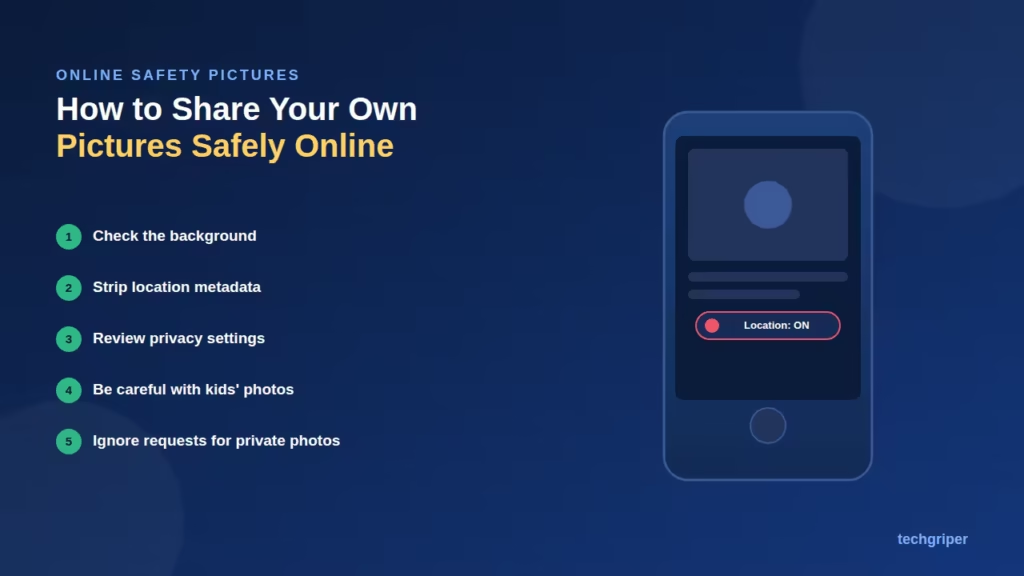
The other common reason people search “online safety pictures” is wanting practical guidance on posting and sharing personal photos without exposing themselves to risk.
Check What’s Visible in the Background
Before posting, look closely at what’s in the frame beyond the main subject:
House numbers, street signs, or landmarks that reveal your location
School uniforms, ID cards, or name tags
Documents, boarding passes, or other papers with personal details visible
Reflections in mirrors, windows, or sunglasses that might reveal more than intended
Understand Metadata (EXIF Data)
Photos taken on smartphones often contain embedded metadata, including the exact GPS location where the photo was taken, unless location services were turned off for the camera app.
Most major social platforms strip this data automatically when you upload, but if you’re sending photos directly (through email or messaging apps), the metadata may still be attached. If location privacy matters, check your phone’s camera settings or use a metadata-removal tool before sharing.
Review Your Privacy Settings Regularly
Check who can see your posts: public, friends only, or a custom list
Review tagging settings, so you approve before being tagged in someone else’s photo
Periodically audit old posts, since privacy settings and your comfort level can both change over time
Be Thoughtful About Photos of Children
Avoid posting images that reveal a child’s school, home location, or daily routine in identifiable detail
Consider whether the child, if old enough, would be comfortable with the photo being shared
Many parents choose to limit audience visibility specifically for photos involving children, even if their general posts are more public
Watch for Requests to Send Photos Privately
Be cautious of unknown contacts asking for personal photos, especially in direct messages. This is a common tactic in online scams and harassment, and legitimate organisations or services will not typically request personal photos through informal messaging channels.
Pros and Cons of Sharing Photos Publicly vs Privately
Approach Pros Cons
Public sharing Wider reach, easier to build an audience or share with distant family Less control over who sees or saves your images
Private/friends-only sharing More control, reduced exposure to strangers Limited reach, requires managing friend/follower lists
FAQ
Where can I get free images for an online safety poster or presentation?
Canva, Flaticon, Freepik, Unsplash, Pixabay, and The Noun Project all offer free online safety-related images and icons. Always check the specific license for the asset you’re using.
Do I need to credit the source if I use a free online safety image?
It depends on the license. Some platforms require attribution for free use, while others (like most Unsplash images) don’t. Check the license terms on each individual image before publishing.
Does Instagram or WhatsApp remove location data from photos automatically?
Most major platforms strip GPS metadata during upload, but this isn’t guaranteed for every app or sharing method, especially direct file transfers through email or messaging apps. If location privacy is a concern, check before sharing.
What should I avoid showing in the background of photos I post online?
Avoid visible house numbers, street signs, school uniforms, ID cards, documents, or anything that could reveal your location or identity beyond what you intend to share.
Is it safe to share photos of my children online?
There’s no single right answer, it depends on your comfort level and privacy settings. Many parents limit visibility specifically for photos involving children and avoid revealing identifiable details like school names or regular locations.
Can I use AI-generated images for an online safety poster?
Yes, many free AI image tools can generate illustrations for this purpose, but check the specific tool’s usage rights, since licensing terms for AI-generated images vary by platform.
Conclusion
Online safety pictures” covers real, practical ground on two fronts: finding the right visuals to communicate safety messages effectively, and protecting yourself when sharing your own photos. For content creators, free libraries like Canva, Flaticon, and Unsplash cover most needs, provided you check licensing carefully.
For personal use, a quick background check, awareness of photo metadata, and periodic privacy setting reviews go a long way toward reducing risk without requiring you to stop sharing photos altogether.